ShowRunner Pro 1.0

ShowRunner Pro 1.0
Easily create run sheets the Sound Guy will love you for.
Overview
ShowRunner Pro is a lightweight, browser-based setlist building tool designed for touring artists. It allows you to build out your show's timeline, calculate exact set lengths based on track BPM and arrangements, keep track of the vibe, and translate all of that smoothly into a professional run sheet for the Sound Guy.
All data is saved locally to your browser—no accounts or internet connection required once the page is loaded.
(AI Disclosure: Gemini was used to rewrite this text in a more presentable fashion, and clean up the readme. Excuse my ADHD).
Features
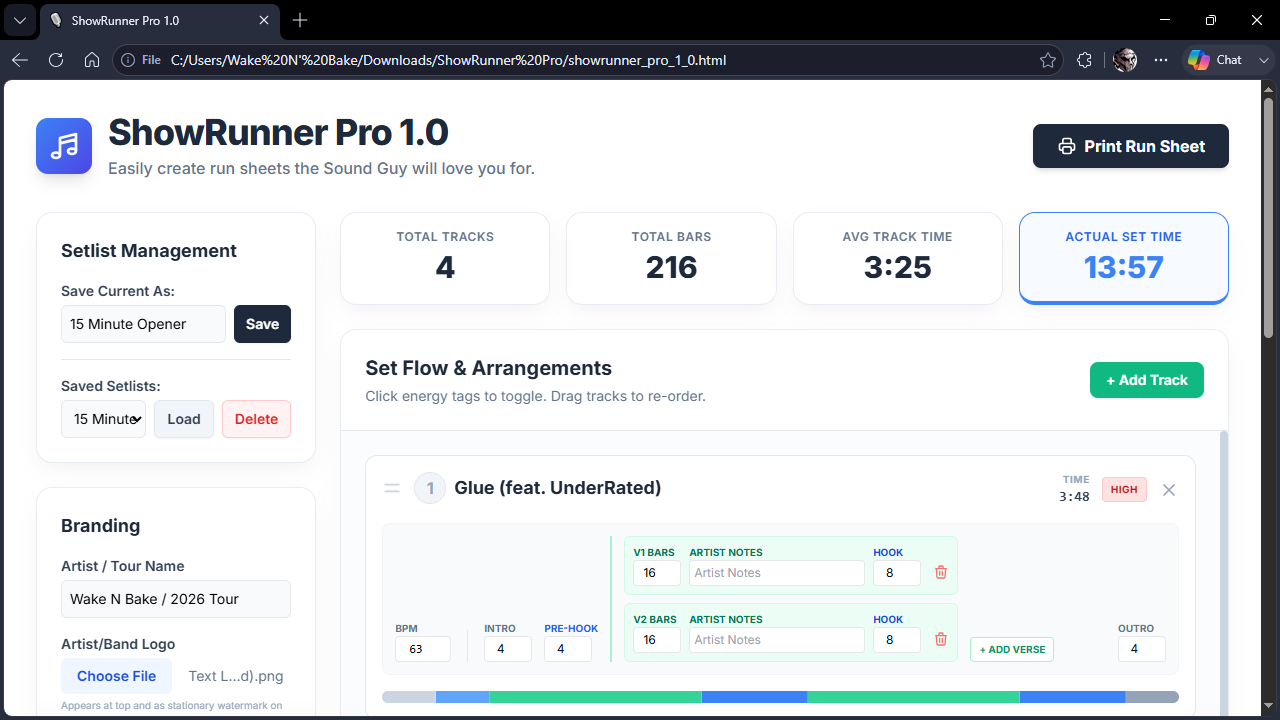
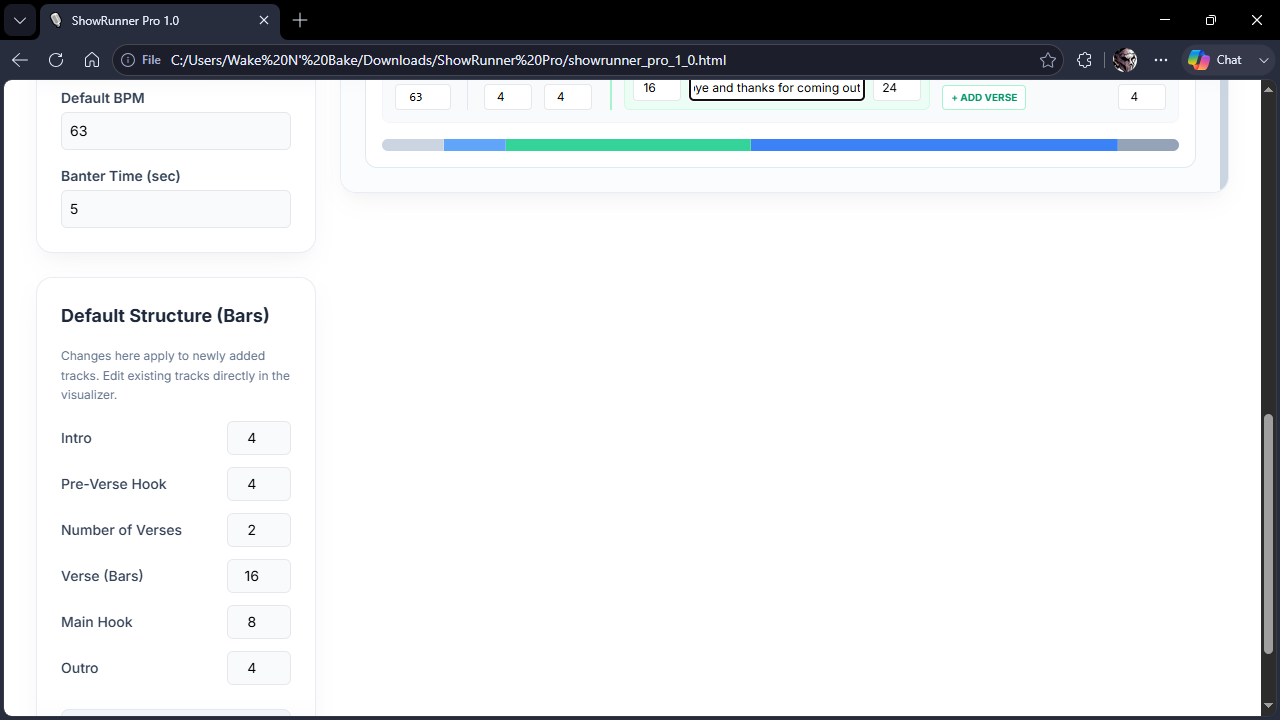
- Modular Arrangements: Edit the intro, pre-chorus, verse, main chorus, and outro bar counts per track.
- Pacing Visualizer: Easily see how much of each song is being dedicated to a specific arrangement element, and adjust accordingly.
- Drag-and-Drop: Rearrange your setlist on the fly by grabbing the handle on any track and moving it into a new position. Times and stats recalculate instantly.
- Energy Flow: Tag tracks as LOW, MID, or HIGH energy to visualize your set's vibe.
- Auto-Fill Target Time: Input a target set length (e.g., 30 mins), default BPM, and number of verses, then click auto-generate to instantly build a template set with a suggested live energy curve.
- Local Save/Load/Delete: Save multiple setlists (e.g., "15 Min Opener", "45 Min Headline") directly to your browser's local storage. Clear out old ones with the click of a button.
- Professional Branding: Upload your artist/band logo and set your tour name for a custom-branded FOH printout.
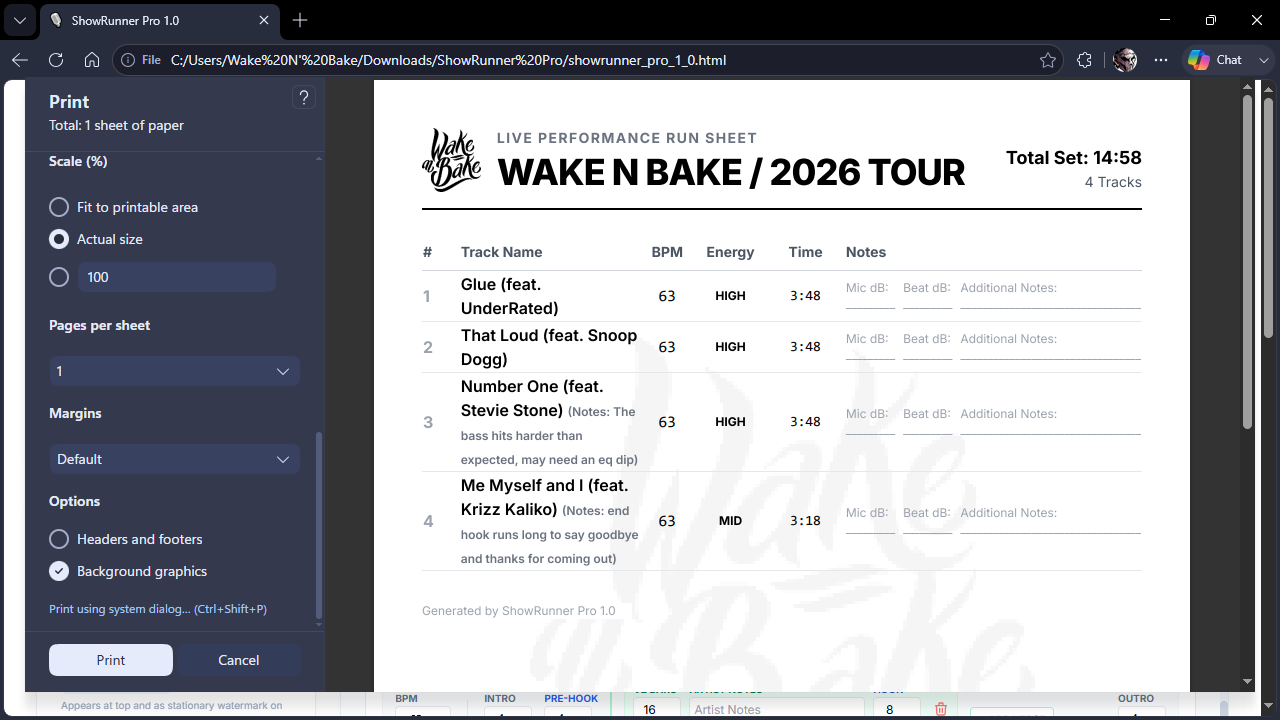
- Stationery Print View: One-click printing strips away the UI and generates a clean, watermarked run sheet with space for any custom soundcheck notes.
How to Use
- Global Settings: Start by setting your Target Length, Default BPM, Banter Time (the dead air between tracks), and your default arrangement structure (including number of verses).
- Building the Set: Click "+ Add Track" to manually add a song or use the "Auto-Fill Set" button to generate a set list that hits your target time based on your settings. It will default to being short, instead of going over your time.
- Editing Tracks: Click directly on the fields in the Visualizer area to change song titles, BPM, bar counts, add or remove verses, and log artist notes. Click the Energy tag to cycle through levels.
- Rearranging: Grab the drag handle on the left side of any track to drag and drop it into a new position.
- Save Your Work: Type a name in the "Save Current As" box in the top left and hit Save.
- Loading Your Work: All of your information is stored locally. You can recall this anytime from the Load dropdown.
- Deleting Your Work: Select a setlist from the dropdown and hit Delete. Note: This will permanently remove it from your local storage and cannot be undone.
🖨️ Pro-Tip: Printing a "Clean" Run Sheet
Browsers (Chrome, Safari, Edge) automatically add the date, page title, and the file:// location path to the top and bottom of printed pages for security reasons.
To remove these and get a perfectly clean, professional stationery look:
- Click Print Run Sheet.
- In the print preview dialog box, look for More Settings (or an equivalent dropdown).
- Find the checkbox labeled Headers and footers.
- Uncheck it.
- (Optional) Find the checkbox labeled Background graphics.
- (Optional) Check it. This will create a watermark of the chosen band logo in the center of the page.
- Save as PDF or print as many copies as needed.
Download
Click download now to get access to the following files:
Leave a comment
Log in with itch.io to leave a comment.